
How it works
- Apply and get approvedSign up on the agent portal. We check your details and approve you on a commission plan. You then get your own agent code.
- Introduce people who need a loanShare your code or your personal link. When someone registers with it, they become your client.
- Ornix decides and pays outYour client applies, uploads their documents and signs online. Ornix checks everything, decides, and sends the money straight to them.
- Your client repays OrnixThey send each repayment to Ornix directly. You can follow every payment in your portal.
- You earn commission on every repaymentEach time one of your clients' repayments reaches us, you earn commission on it. A 3-month loan earns you commission three times.
1. Getting started
Applying to become an agent
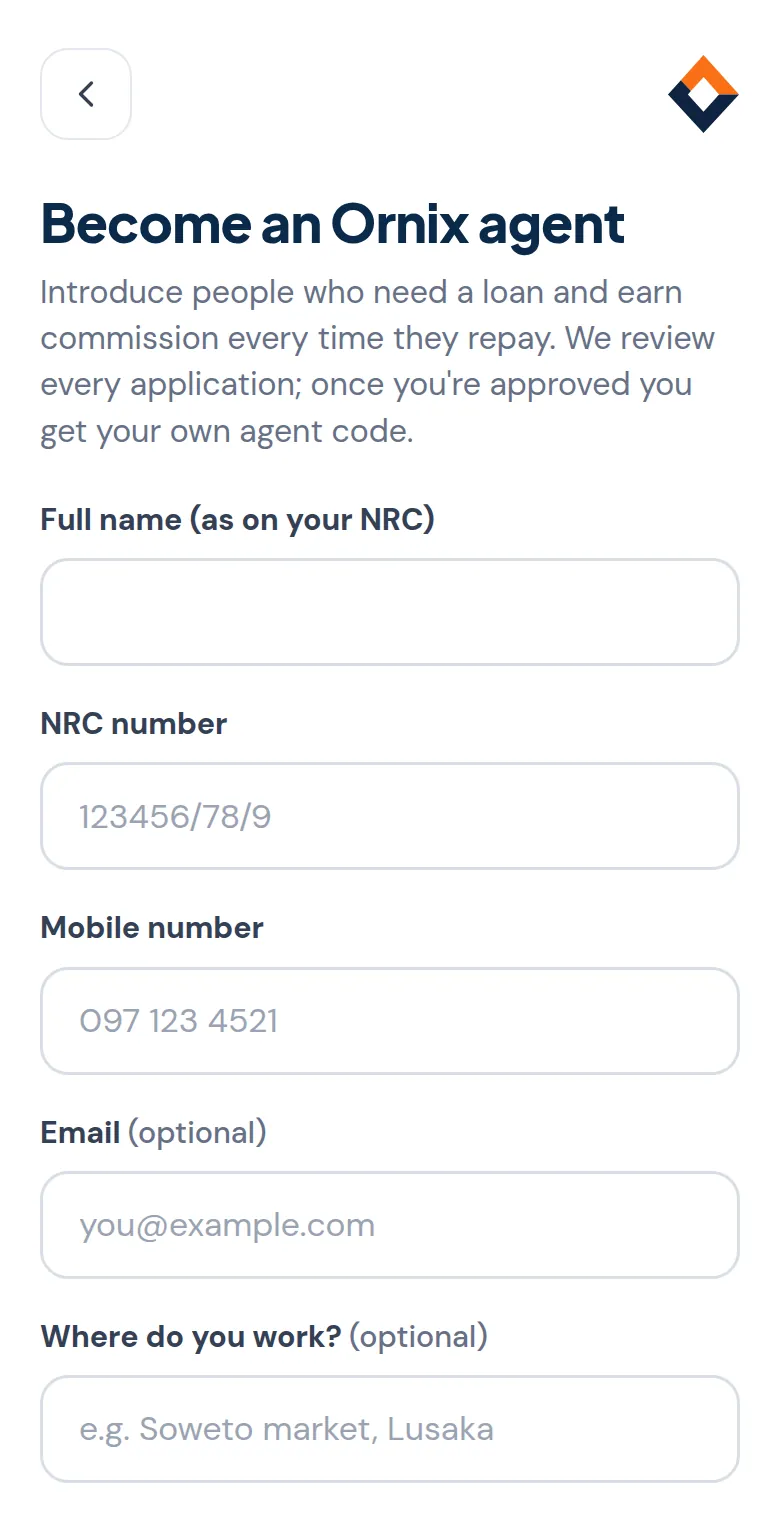
Tap Become an agent, fill in your details as they appear on your NRC, choose where your commission should be paid (MTN, Airtel or bank), and create your username and password. You can sign in straight away, but you'll see a "waiting for approval" page until our team has checked your application.
Once you're approved
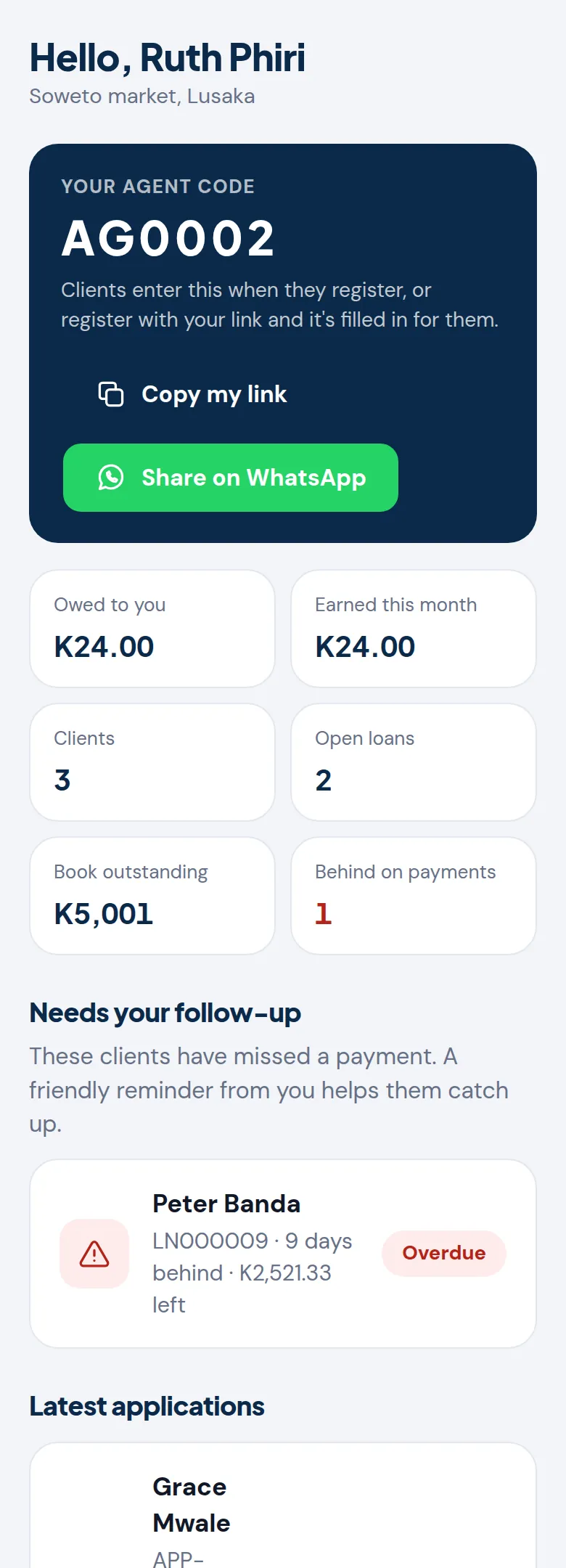
Sign in and your Home page shows your agent code (for example AG0007), what you're owed, what you earned this month, your clients, and anyone who needs a follow-up. Your commission plan is shown under Commission and Profile.
2. Bringing in clients
Sharing your code or link
On Home, tap Copy my link or Share on WhatsApp. When someone opens your link to register, your code is filled in for them. They can also type your code themselves in the Agent code box when they create their account.
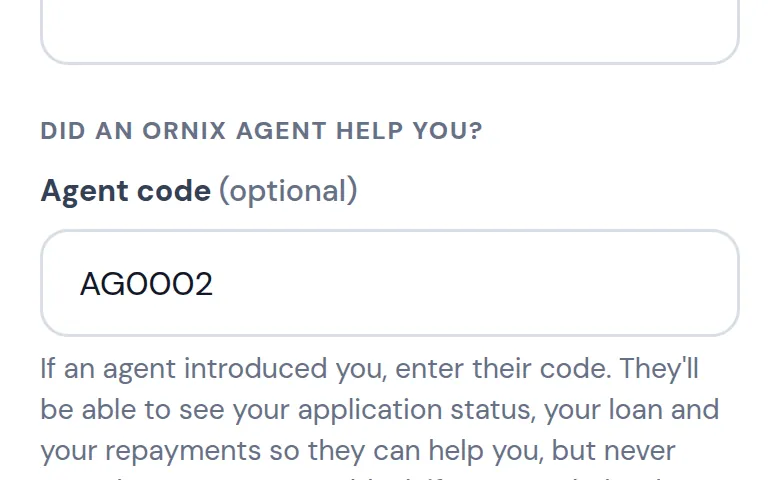
The code must be entered when the client registers. If a client forgot, ask us to link them to you; only loans they take after that count for you.
What your clients agree to
By entering your code, the client agrees that you can see their application status, their loan and their repayments so you can help them. You never see their documents, NRC copies or payslips.
3. Following your clients
Your clients and their applications
Clients lists everyone registered with your code. Filter by Applying, Active loan or Behind on payments, and tap a client to see everything about their applications and loans, with buttons to call or WhatsApp them.
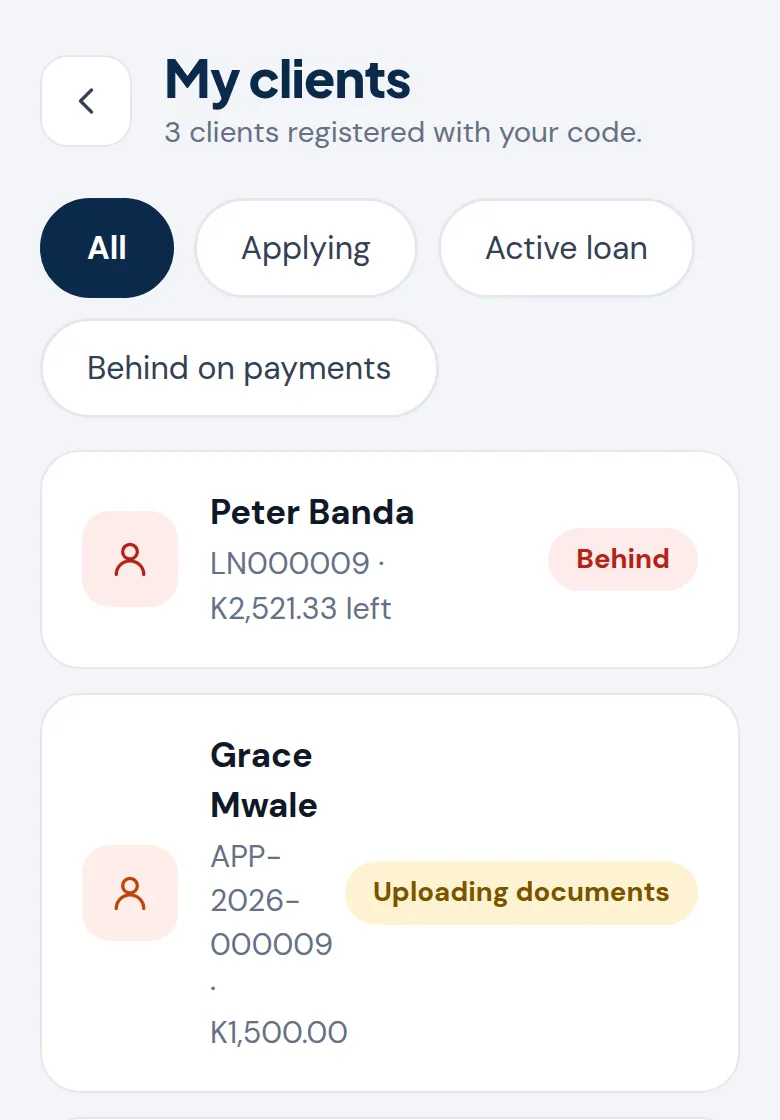
What each application status means, and how you can help:
A client's loans and repayments
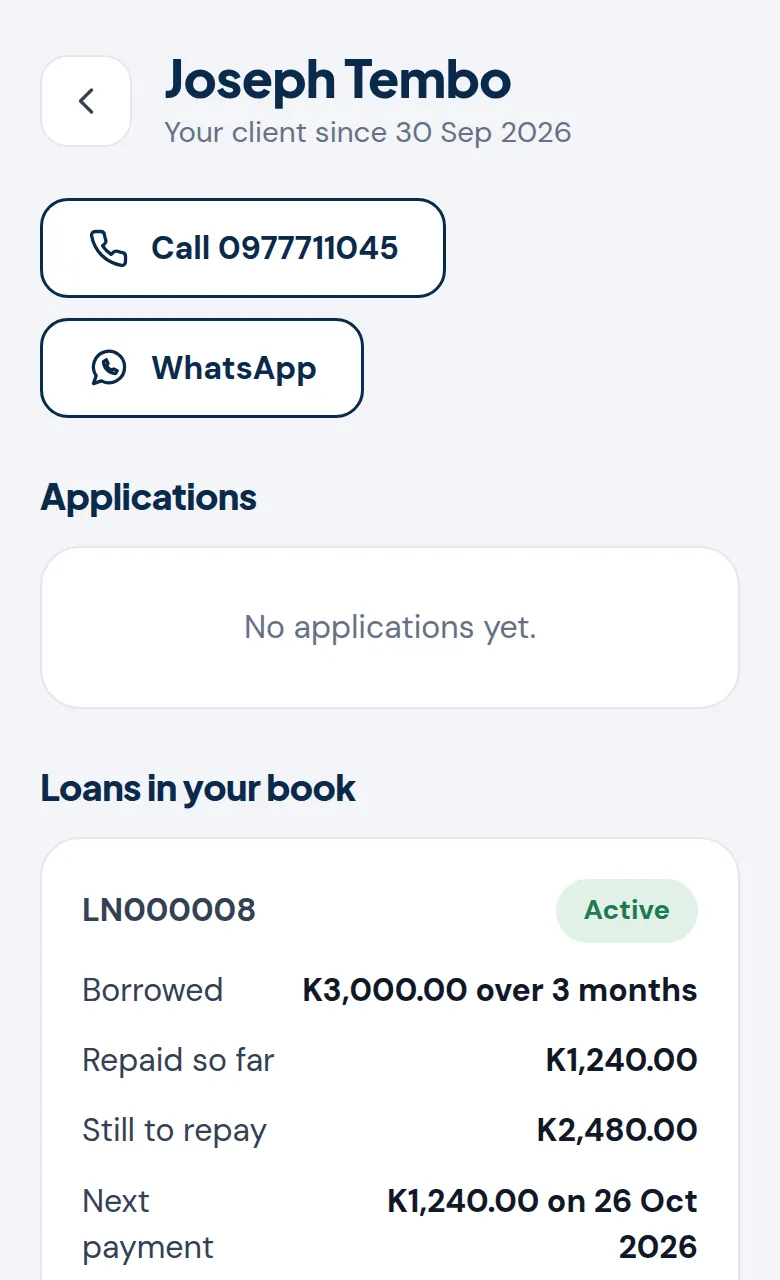
Open a client to see each loan in your book: how much they borrowed, what they've repaid, what's left, their next payment date, and every repayment with the commission it earned you.
Your loan book, and clients who fall behind
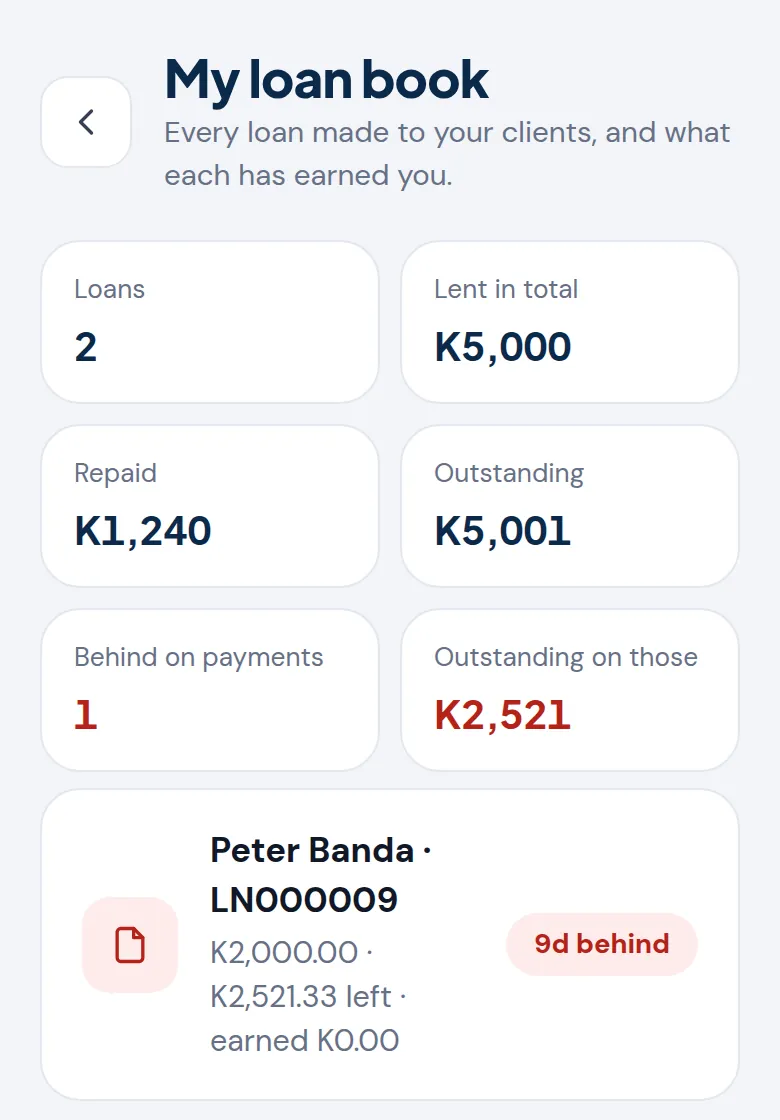
Loan book totals everything lent to your clients, what's been repaid, what's outstanding, and how much is with clients who are behind. Clients who miss a payment also appear on Home under Needs your follow-up. A friendly reminder from you is often all it takes, and they keep earning you commission when they catch up.
4. Your commission
How commission is worked out
You earn on every repayment we receive from your clients, using your commission plan. For example, on a plan of 10% of the interest in each repayment: if a repayment of K1,240 includes K240 interest, you earn K24. Missed payments earn nothing until the client pays.
Each loan keeps the plan you were on when the loan was made, so a later change to your plan never changes what an existing loan earns you.
Owed, being paid and paid
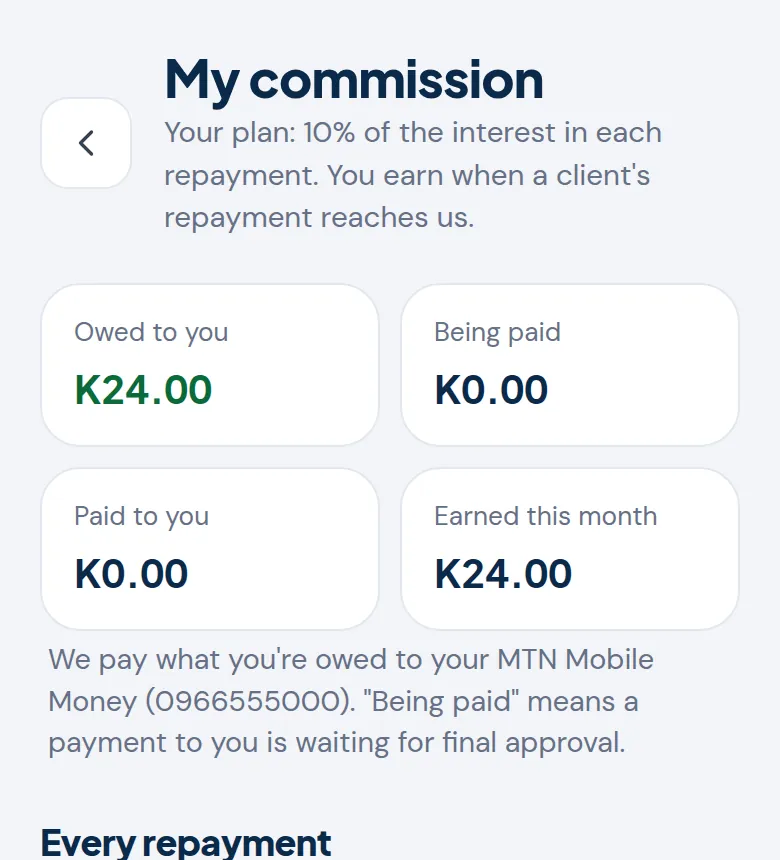
- Owed: earned and waiting to be paid to you.
- Being paid: we've recorded a payment to you and it's waiting for final approval.
- Paid: sent to your MTN, Airtel or bank account.
To change the account your commission is paid to, contact us. For your security, we confirm every change with you first.
5. Rules for Ornix agents
- Never take money from a client, for a loan, a fee or a repayment. Clients pay Ornix directly.
- Never ask for PINs or passwords, or sign in to a client's account for them.
- Don't promise approval. Every application is checked and decided by Ornix.
- Be honest about the cost. Encourage clients to read the full cost in the client portal before they apply, and to borrow only what they can repay.
- Keep client information private. What you see in your portal is for helping your clients only.
Breaking these rules can lead to your agent account being suspended.
Questions
When am I paid?
Commission is earned the moment a client's repayment is recorded, and paid out by our finance team to the account on your profile. Check Commission for what's owed and what's on its way.
My client says they paid, but I don't see it
Repayments show once our team has received and recorded them, usually within one business day. Ask the client to make sure they quoted their loan reference when paying, and to contact Ornix Support if it's still missing.
Can a client move to another agent?
Only Ornix can move a client. Loans already in your book stay in your book and keep earning you commission.
Why can't I see my portal?
Your application may still be waiting for approval, or your account may be on hold. The page you see when you sign in explains which. Contact us if you need help.